
Click here to go back to the Enshrouded hub.
Host or join co-op worlds in minutes
In Enshrouded, survival doesn’t have to be a solo experience. Exploring Embervale with friends makes combat easier, resource gathering faster, and progression far more enjoyable.
If you’re unsure how multiplayer works or how to invite friends, this guide walks you through it step by step.
How Multiplayer Works in Enshrouded
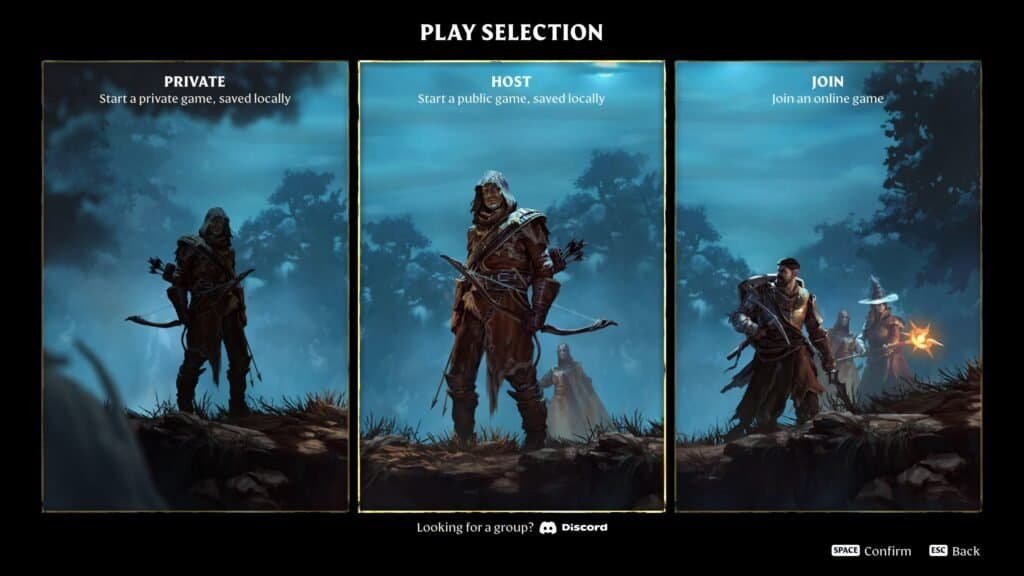
Multiplayer settings are chosen before you enter the world. When starting a new game, you’ll see three options:
- Private – Solo play, saved locally
- Host – Create a multiplayer world
- Join – Join an existing multiplayer world
To play with friends, you’ll need to Host or Join.
How to Host a Multiplayer Game
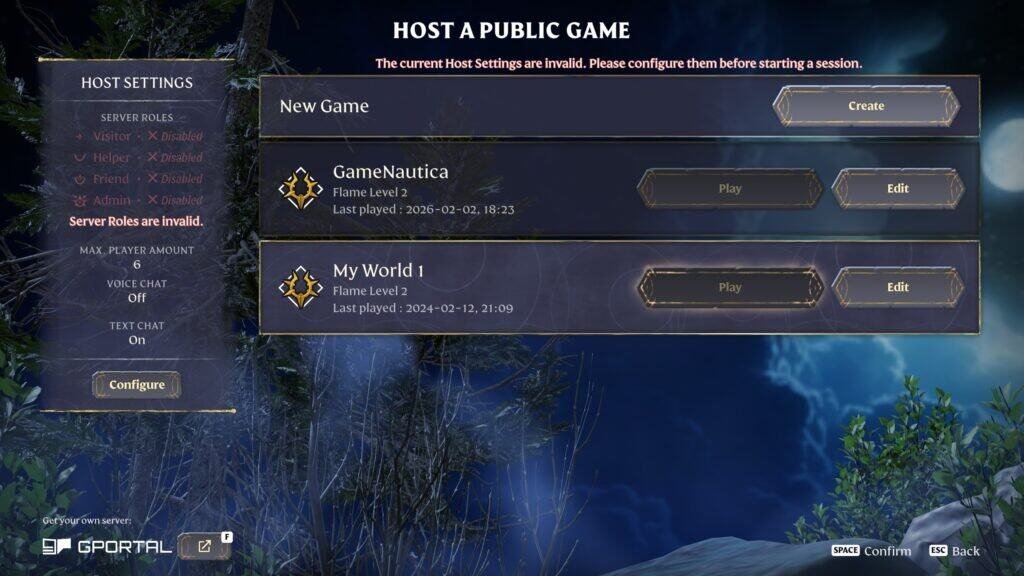
Choose Host when starting the game to create a multiplayer world.
Hosting Details
- Supports up to 16 players (including you)
- World is public by default
- Other players can join if they find the server
How to Make a Private Multiplayer World
- Set a password when hosting
- Only players with the password can join
- Best option for playing exclusively with friends
Once hosted, share the server name or password with your group.


How to Join a Friend’s Game
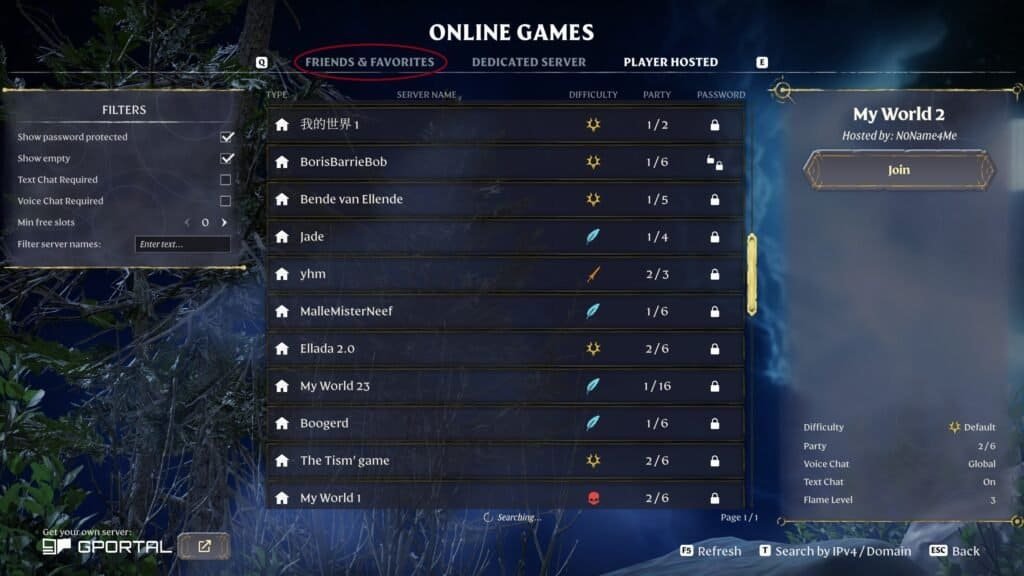
If your friend is already hosting:
- Select Join from the main menu
- Browse the list of public servers or
- Search for your friend’s server by name
- Enter the password if required
You’ll load directly into their world.
Multiplayer Tips
- Progress is tied to the hosted world
- Coordinate base building and Flame Altars
- Assign roles (combat, crafting, gathering) for faster progress
- Password-protect your server to avoid random players
Final Tip
If you want a shared long-term world, always join the same hosted server. Hosting different worlds splits progression and resources.